
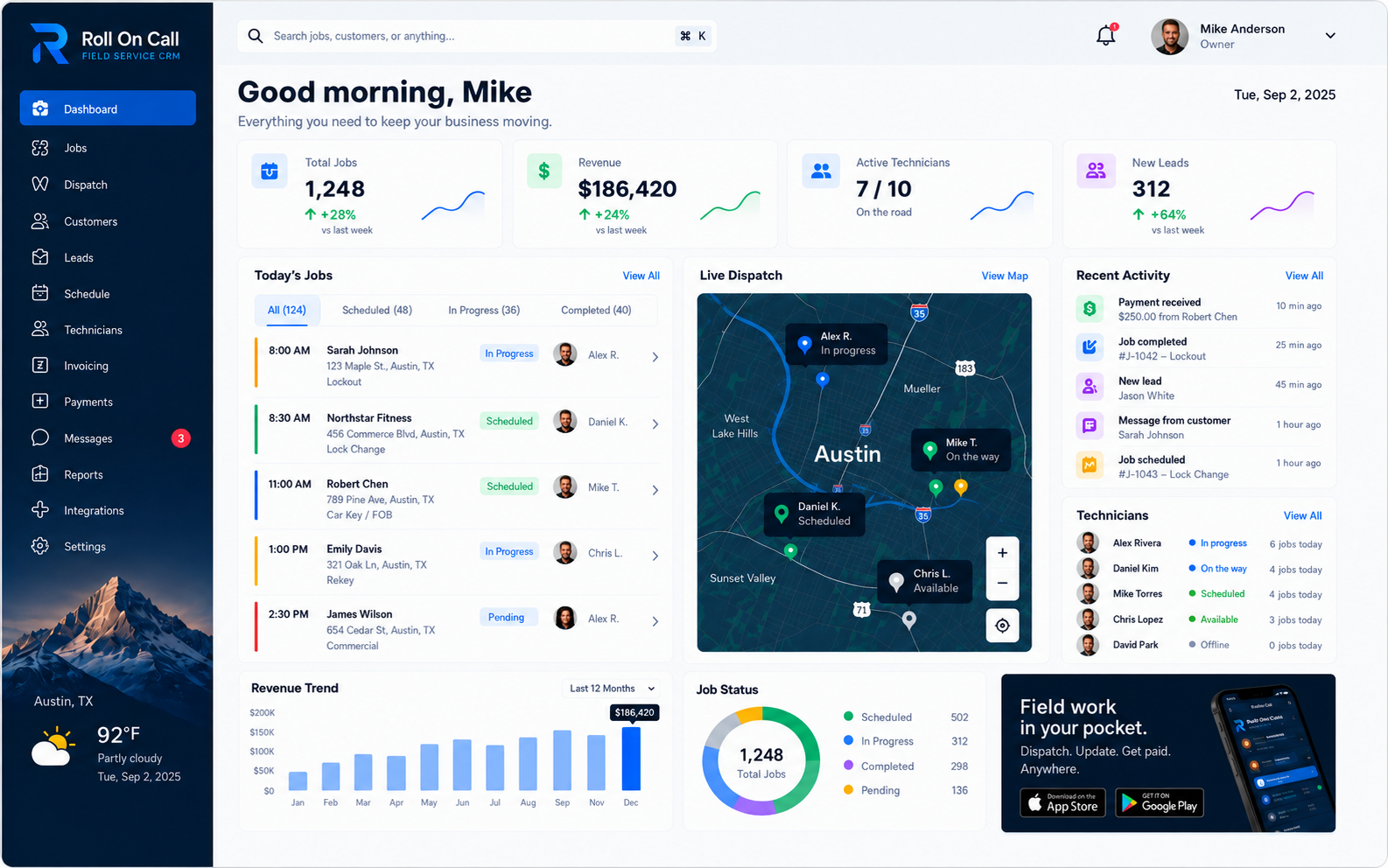
Definitional Boundaries of a Work Order
A work order in field service is a shared record created to organize the details of a requested service visit. It acts as a central repository for the facts a business gathers before, during, and after an appointment. This framework helps operators turn incoming requests into a planned schedule.
The digital platform functions as a database for job context. It requires active human input. If a dispatcher omits a detail, the system remains ignorant of that requirement. The software relies on staff to record information manually. The work order is as useful as the text authorized users choose to enter, operating as a passive filing system rather than an active manager of the day.
A clear work order process helps establish predictable routines for a service business. Field service involves unpredictable environments, including traffic delays and complex site conditions. The work order provides the shared reference point when plans change, offering the office team a written foundation for the day-to-day decisions they must make.
Distinguishing a Work Order from a Job
The terms work order and job are frequently used interchangeably in field service, though they represent distinct concepts depending on regional vocabulary and industry trade habits. A job is the real-world physical work required to resolve a customer issue, encompassing the manual labor, the physical tools, and the onsite environment. A work order is the shared record or instruction for that physical work.
Organizations often use the terms interchangeably in daily conversation. For some contracting teams, a job refers to the entirety of a customer engagement over several weeks, while a work order refers to the specific dispatch instructions for a single day. Other companies use the word job for the daily dispatch itself and work order for internal maintenance requests.
Within the software, the work order serves as the digital container for the anticipated task. It provides a distinct scope and contextual notes for a specific visit.
Distinguishing a Work Order from an Estimate or Invoice
A work order is a shared record detailing planned tasks and assignments. It is distinct from a financial document. An estimate is a proposal presented to a customer outlining anticipated costs before any commitment is made. An invoice is a formal bill requesting payment for completed services after the work concludes. A daily work order sits between these two distinct phases, acting as the internal dispatch instruction rather than a customer-facing financial agreement.
Blurring the lines between a daily work order and a formal invoice can cause administrative confusion. A technician assigned to a work order needs a clear scope, a selected service location, and relevant safety instructions rather than a complex accounting ledger. Attempting to use a single digital document as a quote, a dispatch ticket, and a final bill often results in messy records where financial adjustments obscure the original dispatch intent.
Keeping the work order focused on operational execution helps distinguish dispatch information from financial documentation. A work order provides job context rather than performing those functions.
Separation from the Customer Record
An important structural concept in field service data management is the separation of the work order from the core customer record. A customer record identifies the person or organization responsible for the relationship, containing relatively static information like a primary phone number, an email address, and a billing contact. A work order is an event-specific file connected to that customer, capturing a specific operational moment in time.
This structure helps the office avoid treating a dynamic service request as a static property of the customer profile. A long-term client might request service dozens of times over a decade across multiple different physical locations. If the details of every repair request were simply added to a single long text field in the customer profile, the historical context would quickly become unreadable.
Separating the concepts helps an office organize event-specific records chronologically. A work order may be associated with customer context while maintaining its own scope, selected location, notes, assignment, and recorded status. The field service CRM guide explains how customer, location, and job records contribute different forms of job context.
The Staff-Entered Scope
The scope translates a customer report into a concrete working plan. This scope describes the purpose of the visit, the equipment involved, and the action the office expects the technician to take based on the initial conversation. It is a human interpretation of the request, not a verified diagnosis of the physical issue. When a dispatcher takes a call, they must distill a potentially chaotic explanation from the customer into a clear directive for the field team.
A clear scope gives the technician a defined starting point. The software stores the text provided, while the team supplies judgment. The anticipated scope is not a guarantee of the outcome.
Field service work may involve site findings that differ from the initial intake report. A technician might arrive expecting routine maintenance and report a more serious mechanical issue. The team decides whether the scope should change, what customer authorization is required, and which details an authorized user should record. The technician assesses the site and the office updates the scope.
Separately Selected Service Location
A work order includes a separately selected service location. A customer may have multiple properties, a corporate headquarters, or a billing address that differs from the physical work site. Selecting the intended service location associates the work order with the correct physical destination independently of the customer contact details.
This separation helps staff avoid the assumption that a customer is always physically located at the property requiring service. When a property manager requests maintenance for a rental unit across town, the dispatcher must actively select that specific rental address. If the location remains unselected, the field worker lacks crucial job context.
The location attached to the work order is user-selected data. It is the destination, not the technician's live location, a verified coordinate, or a confirmation that the site is physically accessible. The software retains the selected location so an authorized user can include those pertinent details in the resulting job brief. The team must still navigate to the destination according to their own practical knowledge.
Contextual Job Notes
A work order provides a structured area for contextual job notes. These notes capture administrative instructions, access limitations, hazard warnings, or customer requests that inform how the visit should be handled. Unlike the primary scope, notes often contain the subtle job context that makes a visit successful, such as specific parking restrictions or a requirement to call a site manager before entering a gate.
Authorized users evaluate which historical context belongs in a new work order. Previous notes become current instructions once someone on the team reviews them. Maintaining useful records requires a source-aware approach to note management. A dispatcher must consider who wrote a historical note, when it was written, and whether the conditions described are likely still present.
If an older record mentions a gate code from three years ago, a dispatcher decides whether to enter that detail into the present work order or leave it behind. The resulting text remains recorded information, not an independent verification that the conditions persist. The office must actively curate these details, omitting stale information to ensure the current dispatch brief remains concise and actionable.
Assignment Context
Assignment connects the work order requirements with a named person responsible for executing the visit. A dispatcher reviews the office-entered scope, the selected location, existing calendar commitments, and staff qualifications to make this decision. This review is a subjective human process balancing geographic efficiency against urgent customer priorities and the varied skill sets of the available workforce.
The work order records this assignment. The office stays in charge of checking facts and applying its staffing standards. This boundary is essential for effective job management, as automated logic often fails to account for the nuanced realities of local travel conditions or technician fatigue. The work order provides the digital canvas, while the dispatcher provides the intelligence.
SMS Communication
When a work order is ready, the office can send an SMS brief containing the selected service address and relevant notes to the assigned technician. SMS relays the documented plan to the field in a familiar format, alongside the full work order in the technician app.
SMS relies heavily on external mobile devices, cellular carrier networks, device settings, and local signal coverage. A message might be delayed by network congestion, lost in areas with poor reception, or blocked by carrier filters without notification back to the sender. The software transmits the text provided but cannot offer delivery guarantees or proof of receipt. If an assignment is highly urgent, businesses rely on a direct phone call to supplement the text message and confirm the technician understands the requirement.
Staff-Entered Status Tracking
The core function of active work order management is maintaining a clear job status across the schedule. This administrative visibility is achieved when an assigned technician or dispatcher manually updates the status label based on their understanding of the current situation. The software provides basic text categories, while human action moves the work order from one state to the next.
A team-recorded status establishes that an authorized user recorded a specific workflow label for the job at a specific time. It is not set from live technician location, route monitoring, or an automated assessment of the physical environment. It remains an administrative entry reflecting the intent or manual report of the user operating the software.
Completion Details and Administrative Handoff
Completion is a recorded stage in the lifecycle of a work order. An authorized user can record the job as complete after following the team confirmation process. This entry gives the office a cue for administrative follow-up.
The work order retains these completion details so the office can review the record. A thorough administrative review often involves a human staff member reading the technician notes, checking that the recorded status aligns with the completion text, and evaluating whether the original scope was addressed. The software retains what authorized users type and makes it available for continuity, leaving the judgment to the reviewing staff. If the notes are unclear, the office must initiate a conversation with the field worker to clarify the record.
Work Order History
After a visit, work records can contribute to the job history associated with the relevant customer and selected service location. Authorized users may review earlier reports, scopes, notes, assignments, and completion context when those details were recorded. This gives the office a reference beyond individual memory without independently verifying the content.
When a customer calls with a later request, the office may consult prior records within the broader field service management context. Staff must review current information, and the technician evaluates conditions at the site.
Invoice and Payment Status
Invoice and payment status is the billing stage of the job behind a work order: not yet invoiced, invoiced, paid or overdue.
In Roll On Call, the completed job becomes an invoice and the customer can pay by card through Stripe. The status updates on the job, so staff reviewing a new request can see whether earlier work is still open and apply the business's own policy.
For a practical version that office staff can adapt, use the field service work order template.